
Start With the Mark, Not the Damage
Before you blame the cutting edge, look at the wear pattern under good light. A clean bench, a rag to wipe off dust, and a simple magnifier are enough for a first check. In many Pinetown and Durban workshops, the first clue is not a broken tooth, but a shiny line, a blue stain, or uneven polish on only one side of the tool.
Use the same routine every time. Clean the tool, note where the mark sits, and compare it with the cut quality. If the wear is even across all teeth or flutes, that usually points to normal use. If the mark repeats in one section only, the issue is often in the machine, feed path, clamp pressure or operator setup.
- Check the full cutting edge, not only the sharp tip.
- Look for colour changes, heat marks and chipped corners.
- Compare the left and right sides for uneven contact.
- Record whether the damage appears after a specific job or material.
What Saw Blade Wear Usually Says
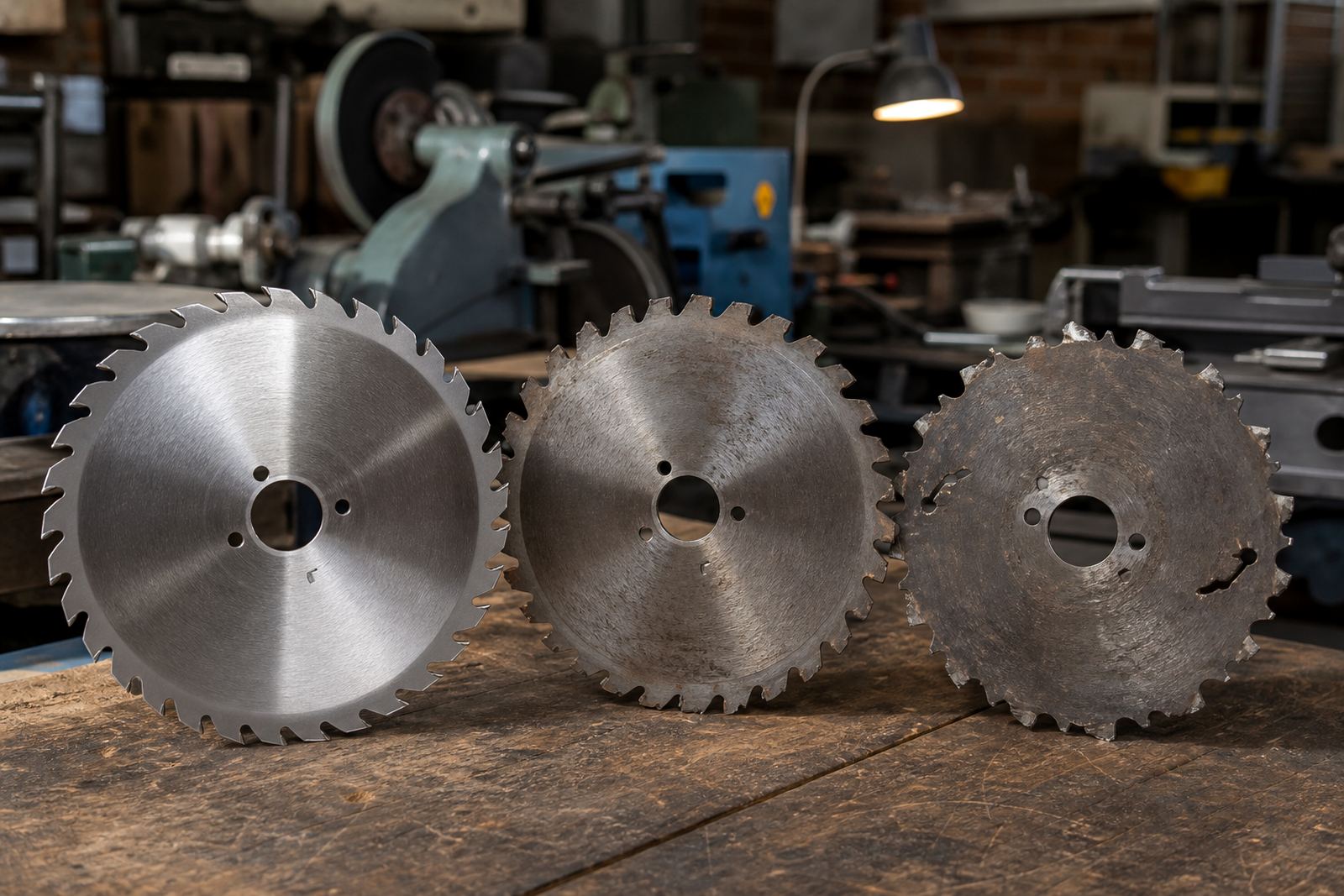
Saw blades often show their problems in the teeth first. Rounded points suggest the blade has gone beyond normal cutting life, while burn marks point to heat build-up from slow feed, dull teeth, or resin packed into the gullets. If the cut starts drifting, the wear may be uneven across the plate, or one side of the tooth may be taking more load.
In timber work, look for dark resin streaks and shiny flats on the tooth face. In plastic or coated board, melt lines and a glazed edge usually mean the blade is rubbing instead of cutting. If you see chipped tips on just a few teeth, check for nails, staples or movement in the workpiece.
- Burn marks usually mean heat from friction or poor chip clearance.
- Hooked or rounded teeth point to overuse or the wrong feed rate.
- Repeated chips in the same spot often mean impact or vibration.
- Tooth face wear can signal poor alignment or a tired arbor bearing.
How Drill Wear Points to Feed and Speed
Drills tell a different story. A drill that cuts slowly but still makes a clean hole may only need sharpening. A drill that squeals, smokes or walks off centre often shows a feed and speed mismatch. On metal, blue or straw colouring near the cutting lips is a sign of heat. On timber, dust instead of chips can mean the point has gone blunt, or the feed pressure is too light.
Check the lips, the chisel edge and the margin. Uneven lip length can make the drill cut crooked and enlarge the hole. If one side is wearing faster, the chuck may not be holding straight, or the machine spindle may have play. In coastal areas like Durban and Cape Town, surface rust can also hide small wear marks, so clean the tool before you judge it.
- Blue staining means excess heat and often too little cooling or too much speed.
- Dusty swarf instead of proper chips usually means a dull point.
- Oversized holes can point to uneven lip grind or worn margins.
- If the drill squeals, check feed pressure, lubrication and chuck grip.
Router Bit Marks and the Clues They Leave
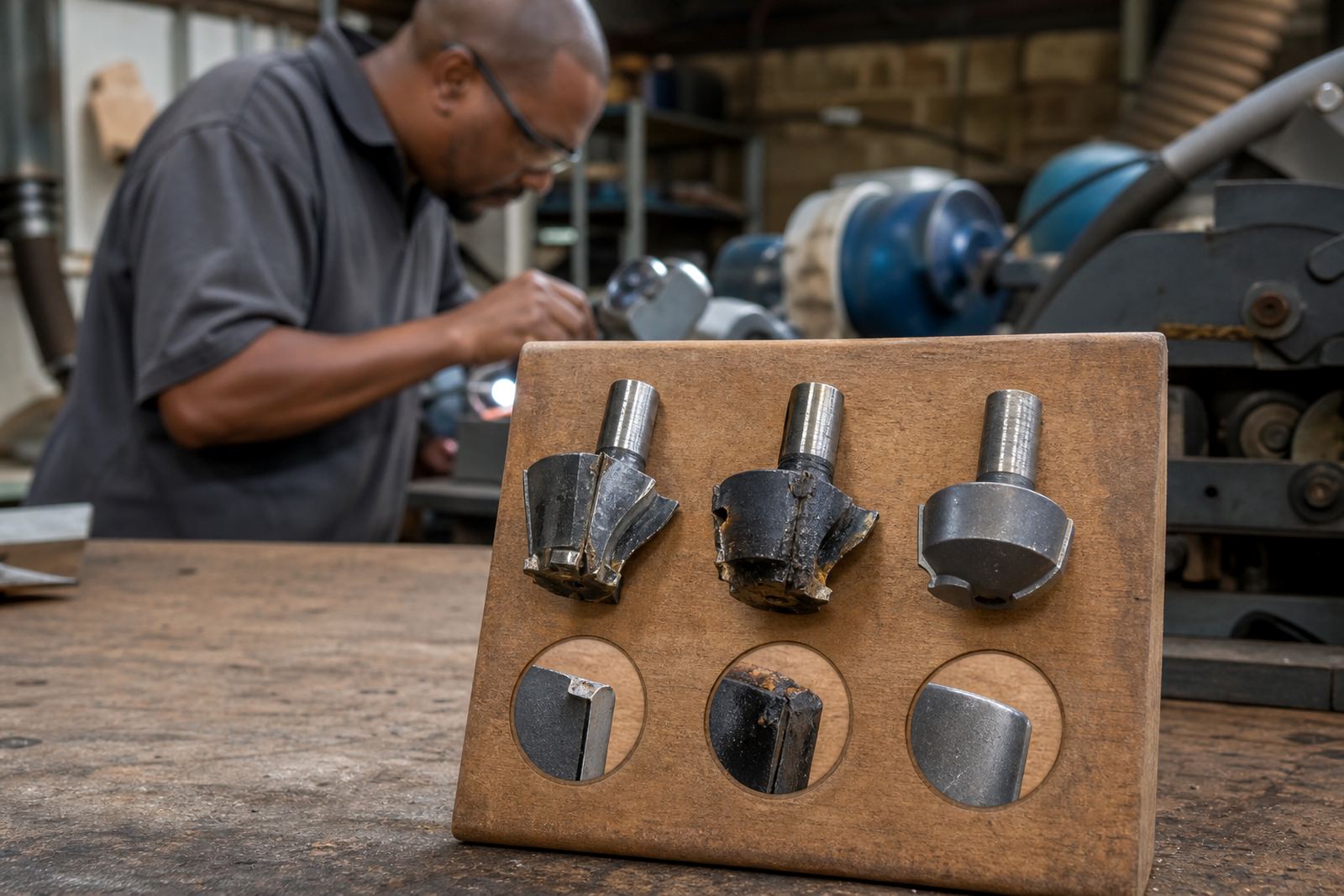
Router bits often show wear on the cutting edge, bearing, or the body near the tip. A polished edge with rough cutting usually means the bit is rubbing. Small burn trails on timber suggest the bit is not clearing chips fast enough, while torn edges can point to a poor pass depth or a blunt cutting corner. If the groove changes width from one pass to the next, the bit may be out of balance or the spindle may need checking.
For cabinet and joinery work, check whether both cutters are taking the same load. A single dull cutter can leave a stepped finish and extra vibration. Chipped carbide, especially on laminated board, often comes from feeding too fast or hitting glue lines hard. On long runs, keep an eye on dust extraction too, because packed chips can change the wear pattern very quickly.
- Burning means rubbing, packed chips, or too slow a feed.
- Chipped corners often come from hard impact or glue line shock.
- Rough groove walls can mean one cutter is duller than the other.
- Extra vibration may point to imbalance, poor clamping or runout.
A Simple Workshop Checklist Before You Regrind
Good sharpening starts with a clean diagnosis. A quick checklist helps you avoid taking off too much material or grinding the wrong angle. At our Pinetown workshop, we see many tools that are still serviceable but were removed too early because the wear pattern was misunderstood. That leads to shorter tool life and higher cost per job.
Use this check before sending a batch for regrinding or doing the work in house. If the issue is setup, the tool may sharpen well but still cut badly until the machine side is corrected.
- Confirm the material type and thickness that caused the wear.
- Check whether the tool was run dry, with coolant, or with dust extraction.
- Look for clamp marks, vibration marks and repeated edge wear.
- Measure the tool if needed, especially diameter, tooth height and lip length.
- Separate badly damaged tools from those needing only a light touch-up.
When Wear Means Setup Trouble, Not Tool Trouble
Not every bad cut means the tool is finished. If wear appears on one side only, the real issue may be fence alignment, table movement, spindle play or poor clamping. In batch work, an operator change can also shift feed pressure enough to create a different wear signature. That is why wear marks should be read together with the job notes, material type and machine settings.
For workshops in Johannesburg, Pretoria, Westville or Hillcrest that run mixed jobs across the day, it helps to keep one simple log. Note the tool type, machine used, material, and the problem seen. After a few jobs, the pattern usually becomes obvious. That makes training easier too, because new staff can see what normal wear looks like before a fault turns into a scrap pile.
If the wear pattern is unclear, or the edge has multiple faults at once, send the tool in with a note about the cut it was making. We can check for angle correction, diameter correction, balance issues and chipped edge recovery, then sort the batch for the right sharpening sequence.